8 Modern, Minimalist Font Pairings for Squarespace
If you want your website to have a modern, minimalist feel, you probably want to go with sans serif fonts. (You know, the ones without the decorative tails on the end.)

Serif Fonts are generally more traditional, formal, timeless, elegant and sophisticated
Sans Serif fonts are generally more modern, casual, minimal, neutral, and friendly.
I say “generally” because there are sub-categories within these broad categories and a font can have multiple personalities (just like people are not always just one thing!)
My personal preference for a modern, minimalist vibe is to go with a sans serifs for both header and paragraph fonts.
The safest approach for a double sans serif is to use the SAME font for headings and paragraphs so you KNOW they will match. (Font pairing can be tricky business.) If you go this route, you can make the headings all caps or use a heavier weight to give more visual contrast between the headings and the paragraphs.
A lot of design advice says NOT to pair two different sans serifs together (because font pairing can be tricky business), but I am a rebel and I love a good sans serif font pair!
Below are my 8 favorite modern, minimalist font pairings for a simple, clean, modern website. Most are sans serif pairs, but I threw my favorite serif font in at the end of the list that has a more contemporary feel.
Cabin / Figtree

I love this font pair so much, I use it on my own website! Figtree is a newish Google font that is clean, simple, and friendly. It was designed by Erik Kennedy who taught me everything I know about fonts! Cabin headlines give the pair a little bit of quirk and personality but the vibe is still simple and modern.
DM Sans / DM Sans

I like to pair DM Sans in all caps for headers with itself in sentence case for paragraphs. I love the modern vibe in all caps and keeping it simple with one font across the whole website. This pair is the epitome of modern, clean, and simple!
Montserrat / General Sans
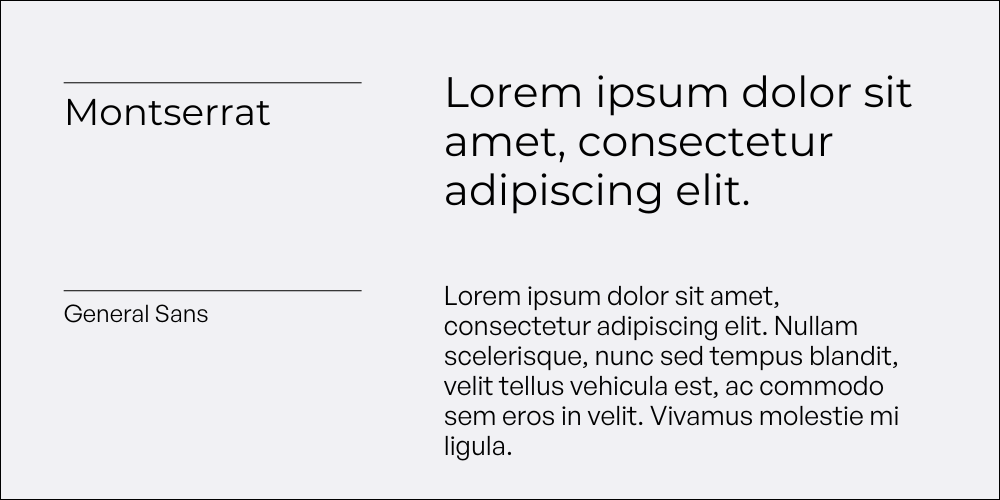
Montserrat is probably the most awesome font of all time. Ask any designer and they will likely agree. Sure, people use it a lot but that’s because it’s amazing. I like to pair it with General Sans for paragraphs, which is understated, but has a little bit of character. General Sans not one of Squarespace’s built in fonts, but you can download it for free and watch this video to learn how to easily add it to Squarespace (🎥 Add a Custom Font to Squarespace Without Code).
Poppins / Nunito
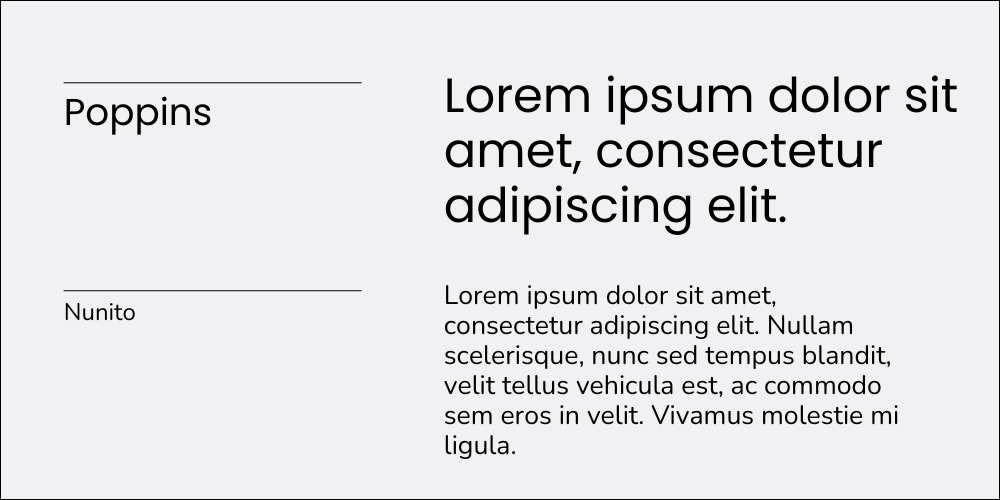
Poppins is another modern font that is used a lot on the web, but I love it. (And it makes me think of Mary Poppins which is fun!) It’s clean and legible and works well for a friendly, energetic business. Nunito is also a friendly font with rounded, soft letters that give just enough contrast Poppins’ geometric vibe.
Manrope/Inter
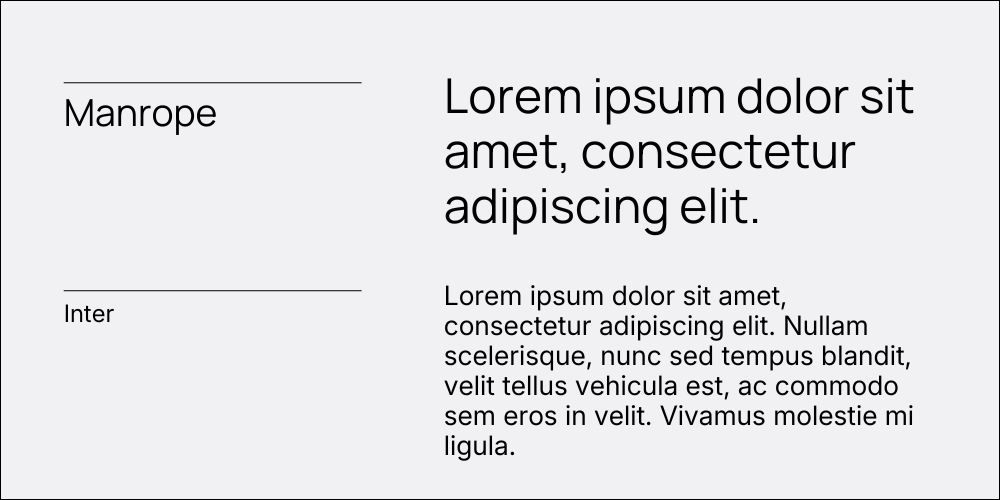
Manrope is a professional, clean font that has a neutral, modern feel. If you are drawn to Poppins but want something a little more grown up and less used, Manrope is the way to go! Inter is a clean, legible font with sharper edges that pairs well with Manrope’s softer curves.
Oswald / Public Sans

I am a huge fan of Oswald, always in ALL CAPS. It’s a subtly take-charge font with modern, clean lines. Public Sans is a high-quality, neutral sans serif that lets Oswald shine.
Brandon Grotesque / Proxima Nova
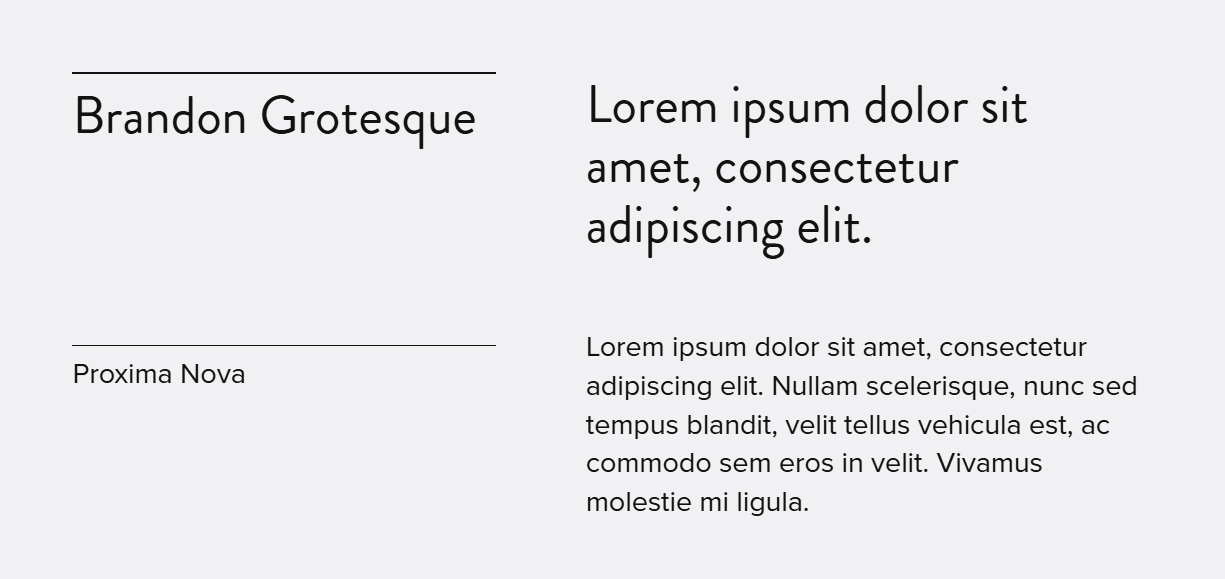
Brandon Grotesque manages to pull off both friendly and elegant. It pairs well with the more neutral (but stylish) Proxima Nova. These are both Adobe fonts, that are available in Squarespace, but not in Canva. If you want to create Canva graphics that match your website fonts, this is not the font pair for you.
Merriweather / Merriweather Sans

Merriweather is a less pretentious serif font, which is probably why I like it! It’s kind of chunky and cute but still feels professional and modern, despite it’s little feet. It also has a matching sans serif, and they look great together (as they are designed to do)!
The Net Net
Sans serifs are (usually) my fonts of choice for a modern, minimalist website, but serifs are not totally out of the question. Hopefully, something on this list will work for you and your website. I know first hand how easy it is to get overwhelmed selecting a fonts for your website. If you find a pair you like, lock it in and move on. Anything on this list is a safe bet, I promise!